Shapeoko 3 XXL · Volume 3
Controller and Software — GRBL, the Stock Toolchain, and the Case for CNCjs
3.1 The brain and the languages it speaks
A CNC machine is a marriage of mechanism and control, and the previous volume covered the mechanism. This one covers the control: the electronics that turn commands into motor pulses, the firmware that decides how, and the layers of software above it that let a human describe a part and get it cut. The Shapeoko’s control stack is unusually open and well-documented, which is both why it is easy to live with and why it is so modifiable. This machine’s owner has replaced the top layer of that stack — the sender — while keeping the layers beneath it, and to understand why, it helps to understand the whole stack.
There are, in essence, four layers. At the bottom is the controller board, the physical electronics with the motor drivers. On it runs GRBL, the firmware that interprets motion commands. Above that runs a sender, the program that streams the job to the controller and gives the operator buttons to jog, home, and zero the machine. And above the sender sits the CAD/CAM software where the part is actually designed and its toolpaths generated. Each layer talks to the one below it through a well-defined interface, which is exactly what makes it possible to swap one layer without disturbing the others.
3.2 The Carbide Motion controller board
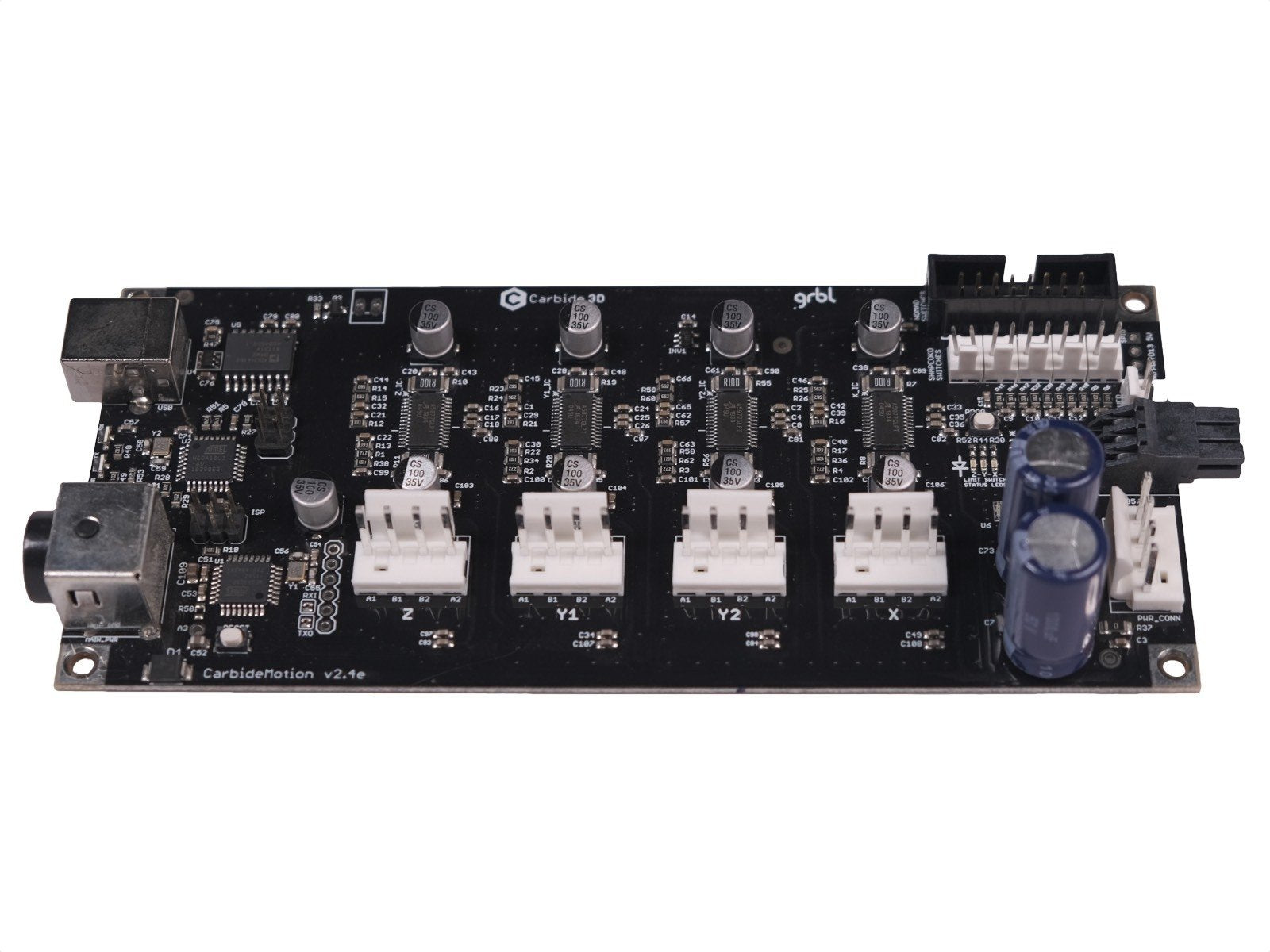
The Shapeoko’s electronics live on a single Carbide Motion controller board, housed in the enclosure that projects from the left of the frame. The board carries the stepper drivers that supply current to the four NEMA 23 motors, the connectors for the homing switches and any probes, a USB connection to the host computer, and the microcontroller that runs the firmware. It is, deliberately, a self-contained and fairly simple board: power in, USB in, motors and switches out.
The important thing to grasp is the division of labour between this board and the computer plugged into it. The board does not store the whole job or plan the part. It receives a stream of individual motion commands — move here, at this speed, spin the spindle — and executes them one after another in real time, generating the precisely timed pulses the motor drivers need. The computer’s job is only to feed that stream fast enough and to give the operator a control panel. This split is why the machine can be driven by very modest hardware, and why the sender is a separable, swappable component.
3.3 GRBL: the firmware that runs the show
The firmware on the board is GRBL (pronounced “gerbil”), an open-source motion controller that began life as a project to run a CNC machine from a humble Arduino. GRBL has become the de facto standard for hobby CNC routers and engravers, and its ubiquity is a large part of why the Shapeoko is so easy to modify: the firmware, its behaviour, its configuration parameters, and its quirks are all exhaustively documented and shared across a huge community of machines that are otherwise nothing alike.
GRBL’s job is narrow and it does it well. It accepts G-code — the standard numerical-control language, a plain-text sequence of commands like “G1 X100 Y50 F1000” meaning move in a straight line to X=100, Y=50 at feed rate 1000 — and turns each command into coordinated step-and-direction pulses for the motors, respecting acceleration limits, feed rates, and the machine’s configured travel limits. It also handles homing, soft and hard limits, spindle on/off and speed, and probing. What it emphatically does not do is understand your part, your material, or your intentions. GRBL knows only steps, feeds, switches, and coordinates. Everything meaningful about the part is decided upstream, in CAM, and handed to GRBL as pure geometry and speeds.
Current Shapeoko machines run GRBL 1.1, which pairs with the modern Carbide Motion sender (Carbide Motion 5). The version and configuration matter because GRBL stores its machine parameters — steps per millimetre for each axis, maximum feeds and accelerations, homing behaviour, and so on — in non-volatile memory on the board. Those parameters are where a mechanical modification meets the firmware: change the Z axis from a belt to a lead screw, for instance, and the steps-per-millimetre value for Z must be recalculated and rewritten, because the relationship between motor rotation and vertical travel has completely changed. Getting that number right is part of any Z conversion, and it lives in GRBL, not in the sender.
3.4 The stock toolchain: Carbide Create and Carbide Motion
Out of the box, Carbide 3D supplies a two-program workflow designed to get a beginner cutting quickly.
Carbide Create is the design-and-toolpath program — it covers both the CAD step (drawing the part) and the CAM step (deciding how to cut it). In it, the user draws or imports vectors, defines the stock, chooses which cuts to make (a pocket here, a profile cut there, a V-carve for lettering), specifies the bit and the feeds and speeds for each, and lets the program generate the G-code. It is deliberately approachable, with a free tier and a paid “Pro” tier that adds features like 3D toolpaths. It will not win a fight with high-end CAM software on complex 3D work, but for the signs, panels, and parts the machine is built for, it is quick and capable.
Carbide Motion is the sender — the program that actually runs the machine. It connects to the controller board over USB, and gives the operator the control panel: buttons to jog the machine around, to home it, to set the work zero, to load a G-code file and run it, and to respond to prompts during a job. It is a clean, guided interface, and for the stock machine it is all most owners ever need.
This pairing is genuinely good for what it is: a low-friction path from idea to cut part, tightly integrated, well supported, and hard to get badly wrong. Its limits appear only when a maker wants something it does not offer — more sophisticated CAM, scripting and macros, remote or networked control, or the flexibility to run non-Carbide hardware. That is where the ecosystem opens up.
3.5 Homing, limit switches, and the probing accessories
Before leaving the stock world, three pieces of the control story deserve attention because they are what make repeatable, accurate work possible: homing, and the two probing accessories.
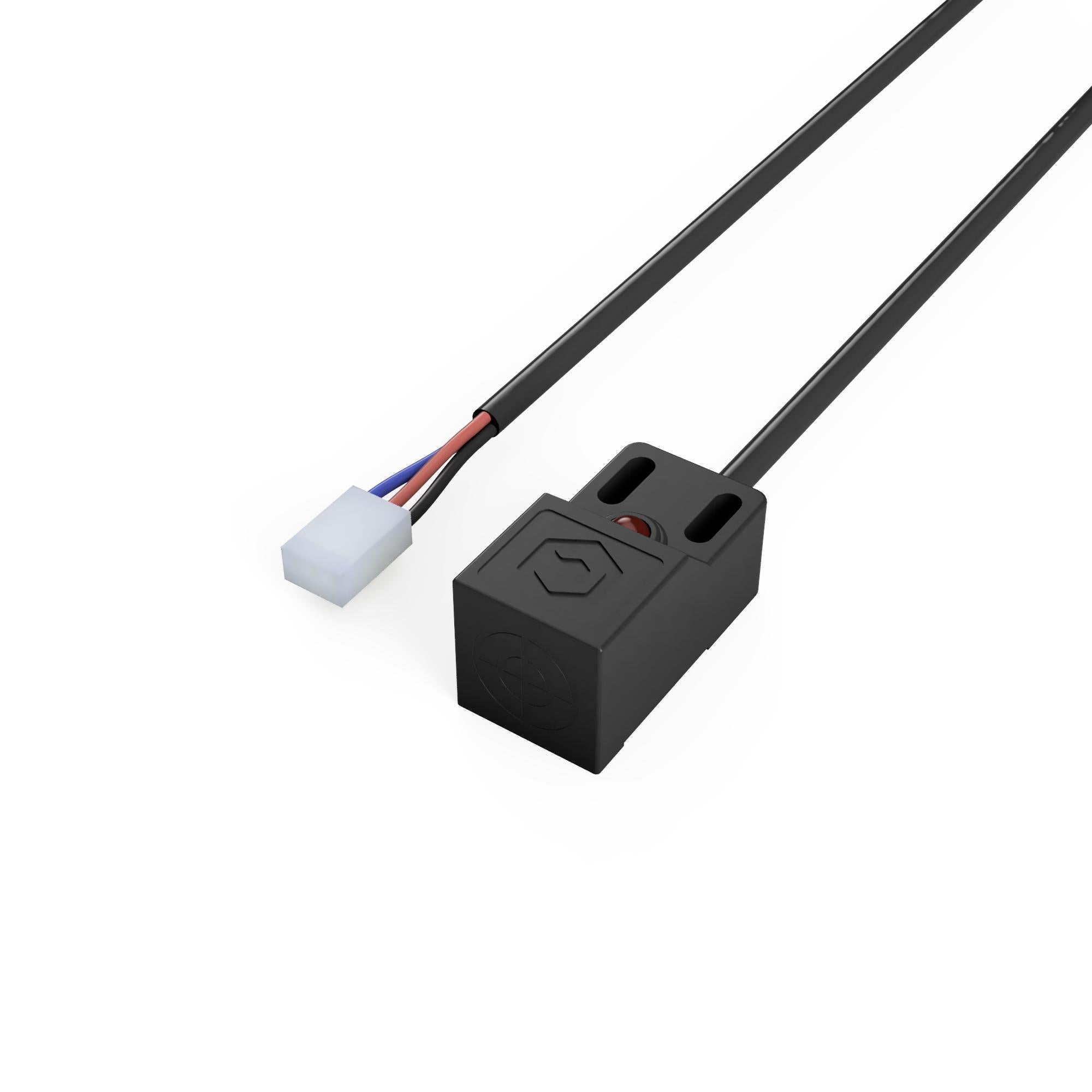
Homing is the process by which the machine establishes where it is. A Shapeoko has homing switches — small switches near the ends of travel that the machine drives into at startup to find a known reference corner. Homing matters because the machine’s motors are open-loop and have no absolute sense of position; homing gives them one. Once homed, the machine knows exactly where every point in its travel is, which means a job can be paused and resumed, a broken bit swapped, or the machine powered down and restarted, all without losing the coordinate system. A failed home — usually a disconnected or dirty switch, or the machine not clearing the switch on pull-off — is one of the most common first-run problems, and GRBL reports it with a specific alarm.
The BitSetter and BitZero are two touch probes that automate the fiddly, error-prone business of setting up a job.
The BitZero is a touch probe that finds the work zero — the origin of the part’s coordinate system. Rather than eyeballing the cutter against the corner of the stock and nudging it into place by hand, the operator places the BitZero on the workpiece and the machine gently touches the bit against it on the X, Y, and Z faces, calculating exactly where the corner and top of the stock are. It turns a nervous manual ritual into a repeatable, accurate operation.
The BitSetter solves a different problem: tool length. When a job uses more than one bit, every tool change would otherwise require re-zeroing the Z height, because a new bit sits at a different length in the collet. The BitSetter is a fixed, spring-loaded button mounted on the bed; after each tool change, the machine automatically dips the new bit onto the button, measures how long it is, and adjusts the Z offset so the tip lands in exactly the same place as the old bit. It requires a compatible sender version and, once set up, makes multi-tool jobs painless.
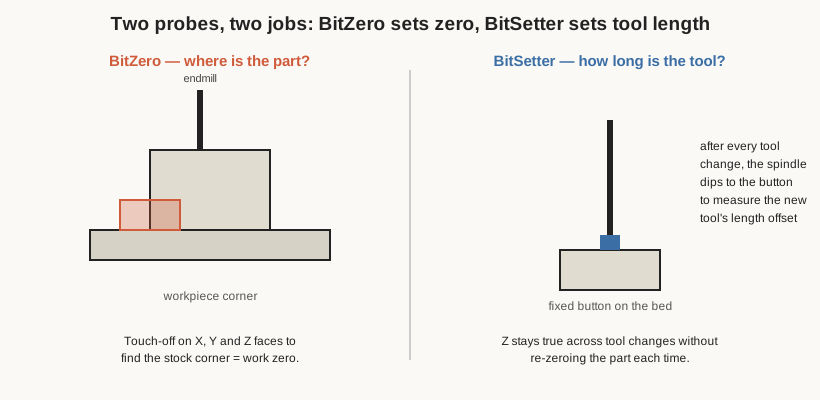
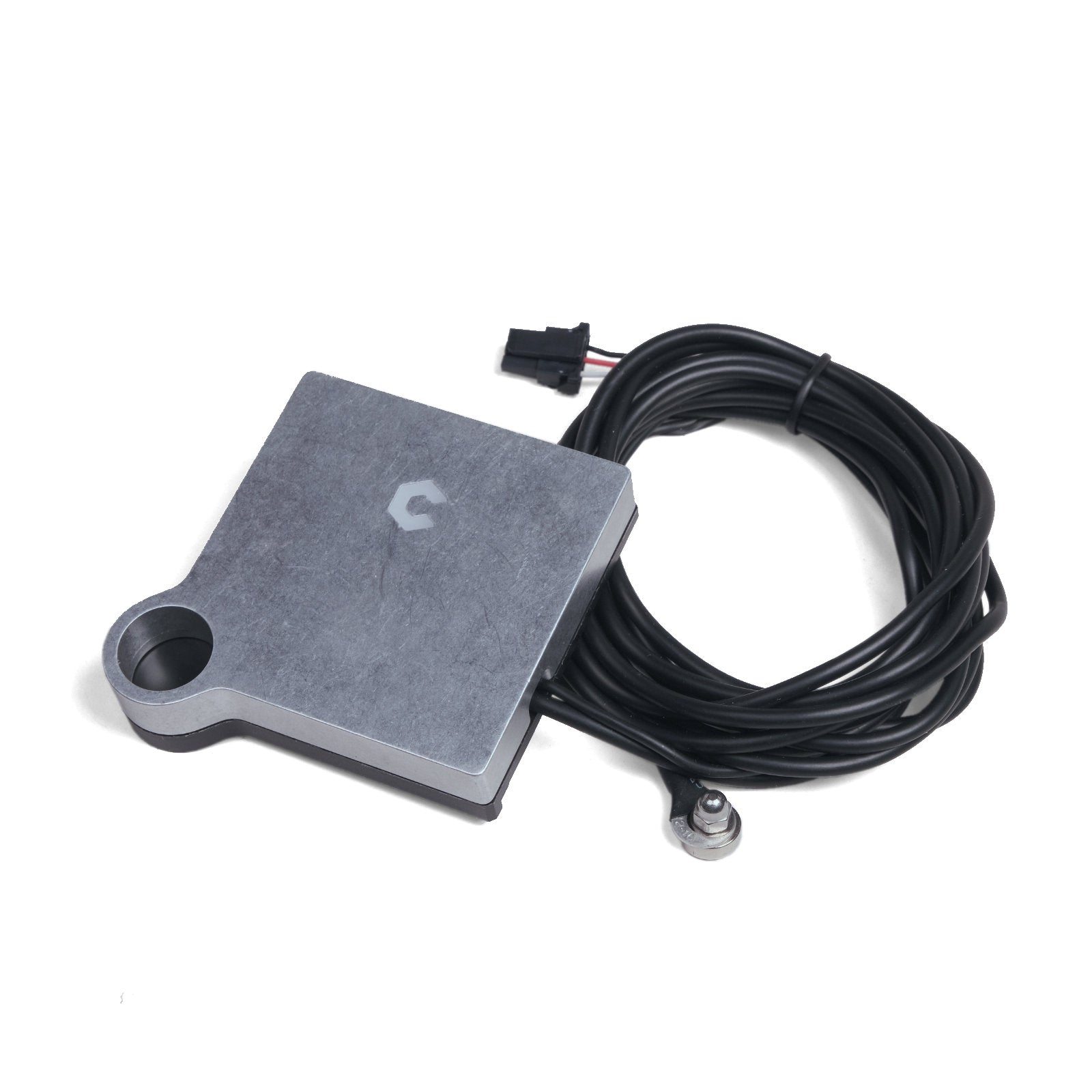
Both accessories are supported by the stock Carbide Motion workflow, and both are usable — with a little configuration — from alternative senders too, since fundamentally they are just switches that GRBL can probe against.
3.6 The broader ecosystem
Because GRBL is an open standard, the Shapeoko is not locked to Carbide’s software. Two directions of openness matter.
On the CAM side, many owners design and generate toolpaths in Autodesk Fusion 360, which offers far more sophisticated 3D machining and modelling than Carbide Create, and post out G-code with a GRBL-compatible post-processor. Others use VCarve/Aspire from Vectric (popular for sign work), or any of a dozen other CAM packages. The machine neither knows nor cares which CAM produced its G-code, as long as the G-code respects the machine’s limits.
On the sender side — the layer this machine’s owner replaced — there is likewise a field of alternatives to Carbide Motion. UGS (Universal Gcode Sender), gSender from Sienci Labs, bCNC, and CNCjs are all senders that speak to GRBL. Each offers a different blend of features, but the reasons to leave Carbide Motion are usually some combination of: wanting macros and scripting, wanting to run the machine from a small dedicated computer rather than a laptop, wanting network or remote access, and wanting finer control over the machine’s behaviour. For this shop, the choice was CNCjs.
3.7 Why a shop moves to CNCjs
CNCjs is an open-source, web-based controller interface for GRBL machines (it also supports other firmwares like Smoothieware, Marlin, and TinyG, but GRBL is its home turf). Instead of being a desktop application locked to one screen, CNCjs is a small server — it runs on Node.js — that connects to the controller board over USB serial and then serves a control interface to any web browser on the network. The operator drives the machine from that browser: on the machine’s own touchscreen, on a laptop across the shop, or on a phone.
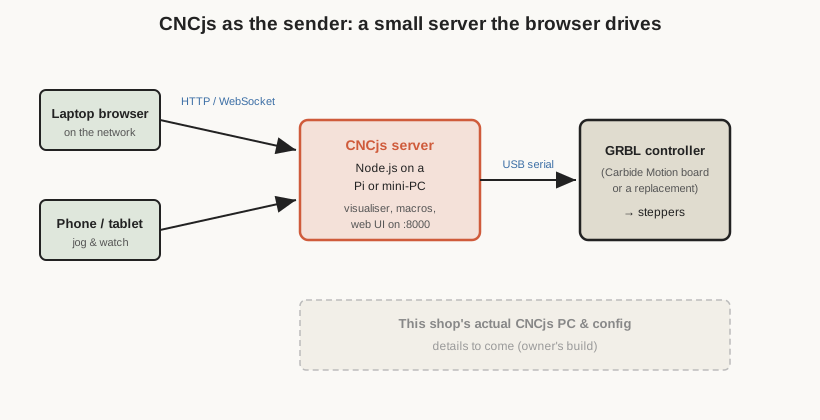
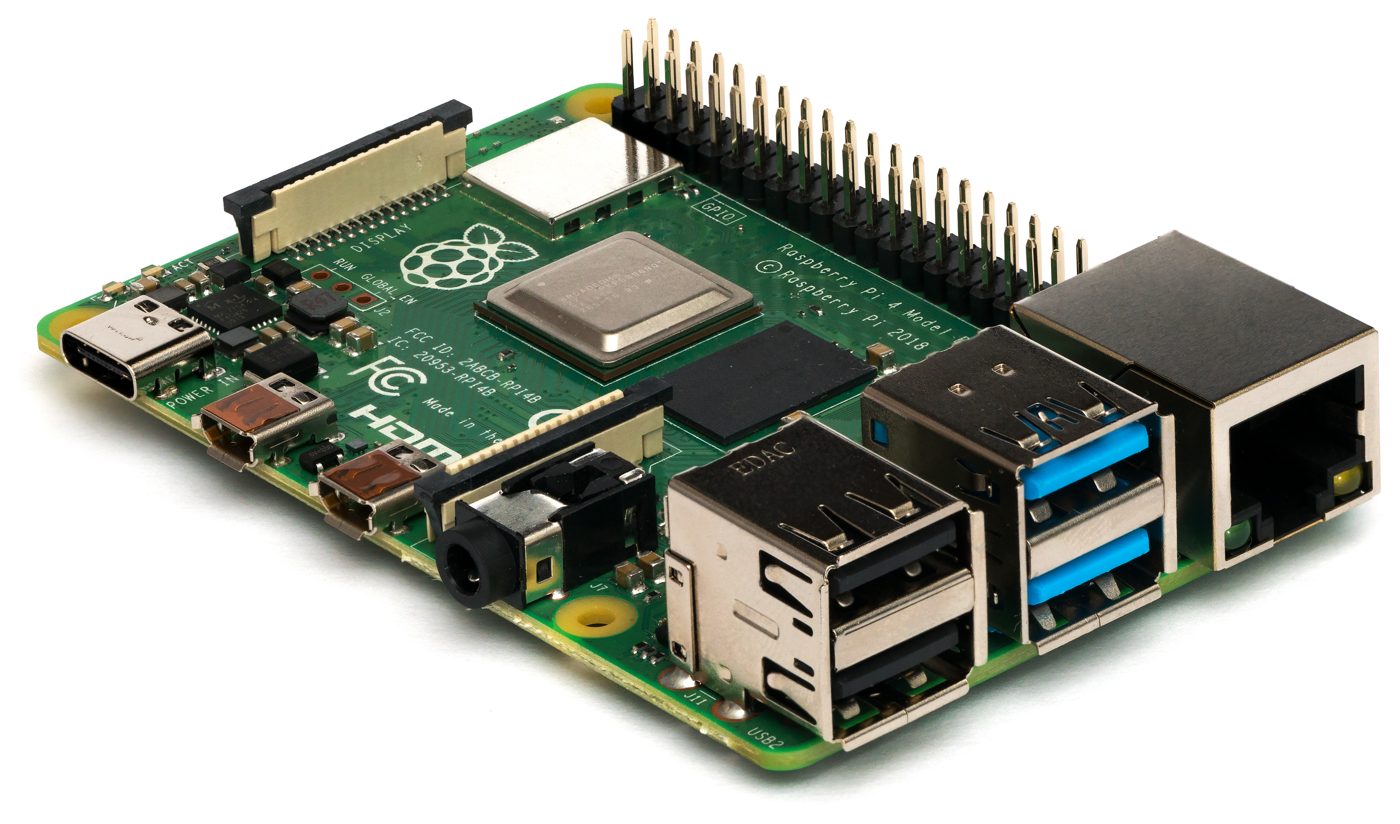
Several properties make this attractive to a serious hobby shop. First, it runs happily on a small dedicated computer — a Raspberry Pi or a mini-PC — bolted to or near the machine, so the CNC has its own permanent controller and does not tie up a laptop or risk a screensaver or Windows update interrupting a two-hour job. Second, its networking is genuinely first-class: because the interface is just a web page served over the network, the same machine can be controlled and monitored from several devices at once — start a job at the machine, then check on it from a phone without walking back. Third, it has a proper macro system: the body of a macro is G-code, but parts can be replaced by calculated values, so repetitive setup routines, custom probing sequences, tool-change rituals, and safety moves can all be scripted and reduced to a single button. Fourth, it includes a toolpath visualiser that reads the G-code and simulates the cut before the machine moves, a valuable sanity check.
The trade-off is that CNCjs is less hand-holding than Carbide Motion. It assumes the operator understands GRBL, is comfortable configuring a sender, and will take responsibility for setting up probing, tool changes, and safety behaviours that the stock software packages up automatically. It is a power-user’s tool, and it rewards a power user. For a shop that already understands its machine deeply and wants scripting, a dedicated controller, and remote monitoring, it is a natural destination — and it keeps GRBL and the Carbide Motion board underneath entirely intact. Only the top layer of the stack changes.
The specific computer this shop uses to run CNCjs, its operating system, how it is mounted and powered, the touchscreen (if any), the exact macros configured for this machine’s tool changes and probing, and any tuning done to work with the modified lead-screw Z are all part of the owner’s build and are documented as those details are supplied. Details to come. What can be said with confidence is the shape of the setup — a dedicated computer running CNCjs, talking over USB serial to the original GRBL controller board — and why that shape is a sensible one for a heavily-used, heavily-modified machine.
3.8 How the layers hold together
The reason this whole story is coherent — and the reason the machine could be modified the way it was without a ground-up rebuild — is the clean separation of the layers. The mechanism produces motion; the GRBL board turns commands into motion; the sender streams commands and offers a control panel; the CAM decides what the commands should be. Replace the Z mechanism, and only GRBL’s steps-per-millimetre for Z needs to change. Replace the sender, and nothing below it is disturbed. Replace the CAM, and nothing below that is disturbed. It is a well-layered system, and the payoff of good layering is exactly this: each part can be improved on its own terms. The next volume takes that principle into the physical world, with the three modifications that reshaped this particular machine.
Comments (0)